Features / Application Portfolio
Application Portfolio
One unified view of your applications, their business value, who owns them, and how they support your strategy.
Most organizations track their application landscape across scattered spreadsheets, Confluence pages, and tribal knowledge. Albumi replaces all of that with a structured registry where every application has a lifecycle status, strategic classification, clear ownership, and a direct link to the business capabilities it supports. Three questions answered in one place: what do we have, who owns it, and how does it serve the business.
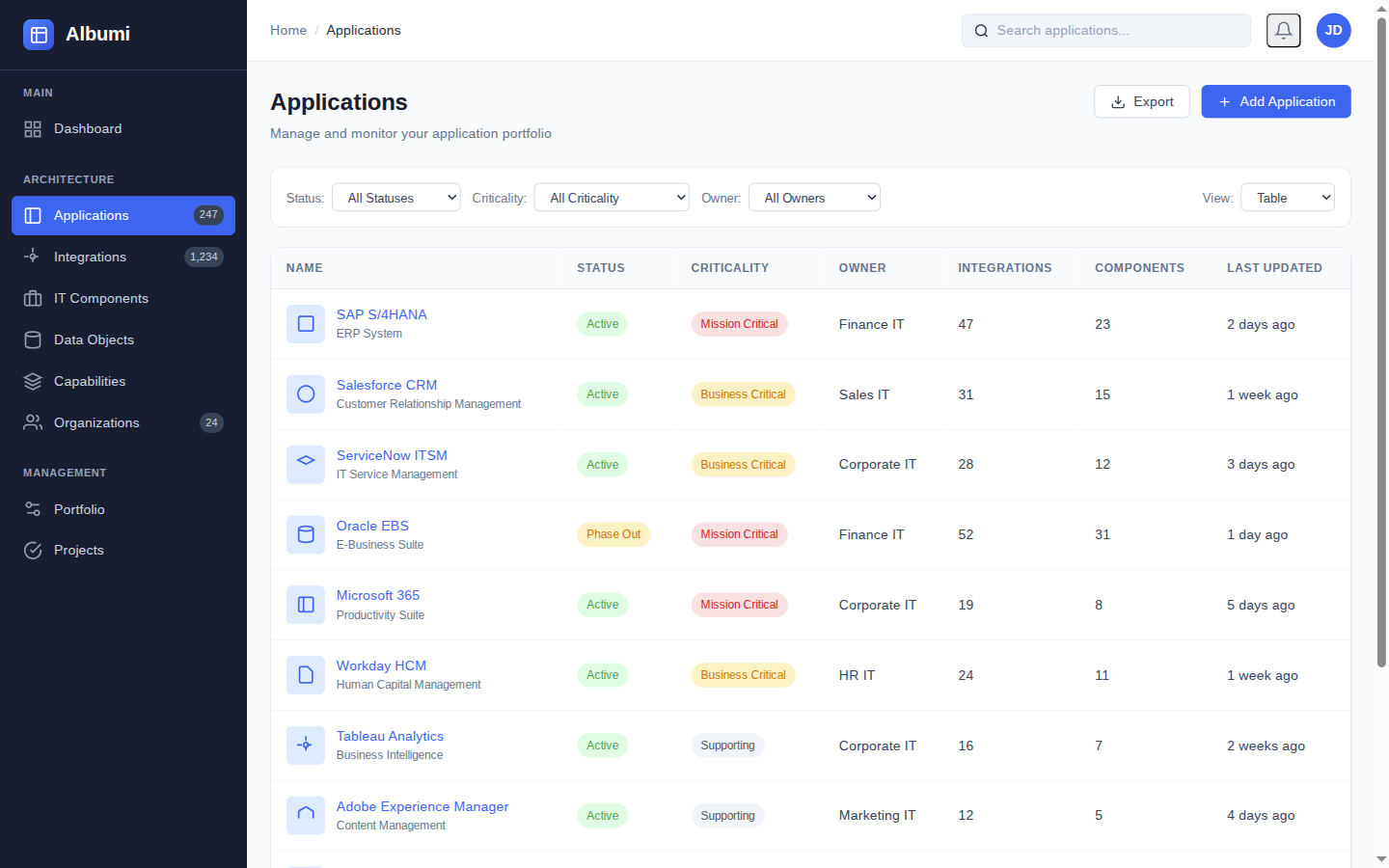
Know What You Have
A complete application registry with strategic classification, lifecycle tracking, and technology dependencies.
TIME Classification
Every application gets a strategic classification: Tolerate, Invest, Migrate, or Eliminate. This turns your portfolio into an actionable roadmap — leadership sees where to spend and where to cut, without wading through spreadsheets.
Lifecycle Tracking
Each application moves through Plan, Phase-In, Active, Phase-Out, End-of-Life. You see at a glance how many systems are being retired, how many are coming online, and what your portfolio will look like next quarter.
Business Criticality
Mark which systems are mission-critical vs. nice-to-have. This feeds directly into impact analysis — a change to a critical system gets flagged with higher risk automatically.
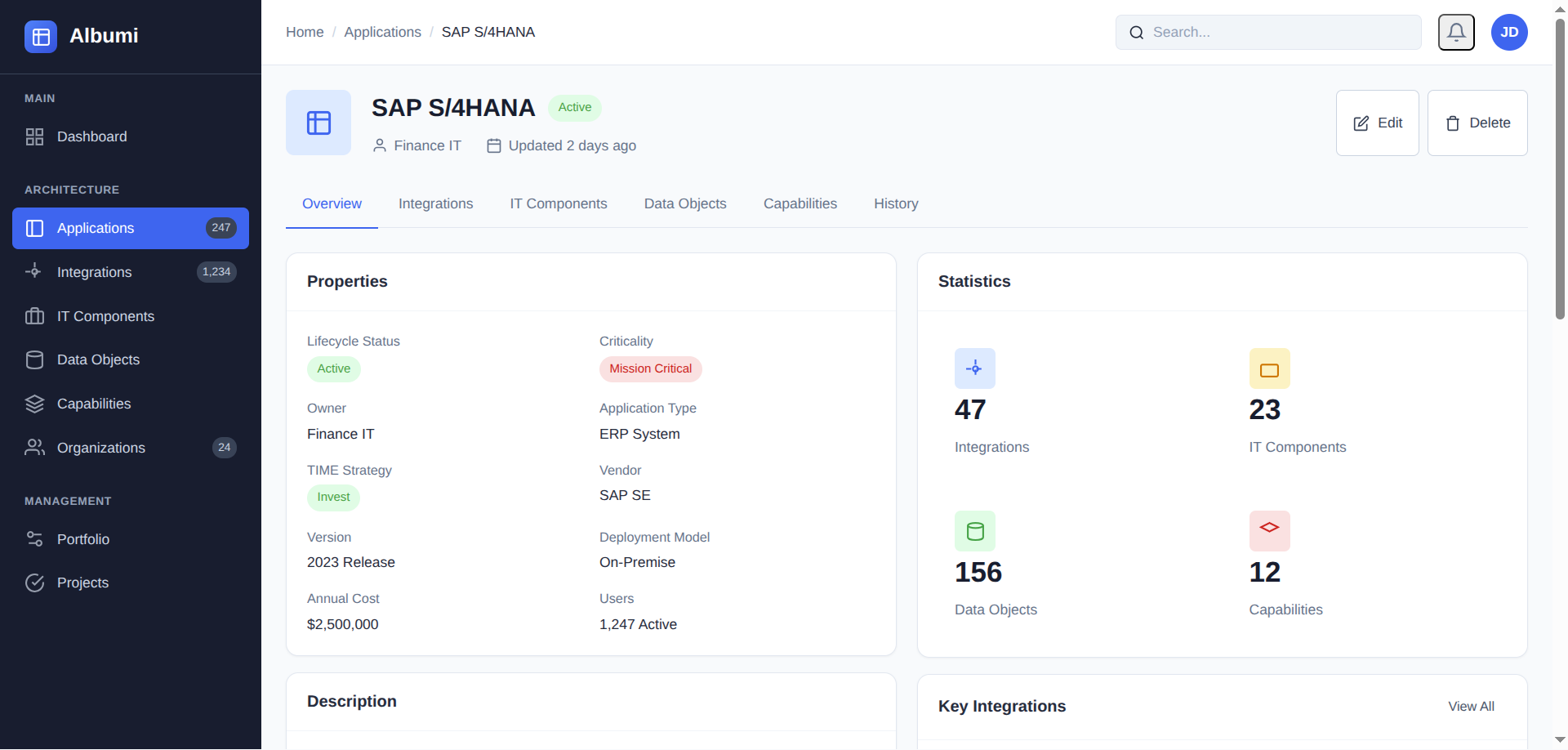
Technology Stack (IT Components)
Link applications to their IT Components — databases, platforms, frameworks. When Oracle reaches end-of-support, you instantly see every application that depends on it. When a security vulnerability hits Log4j, you know which applications are affected in minutes, not days.
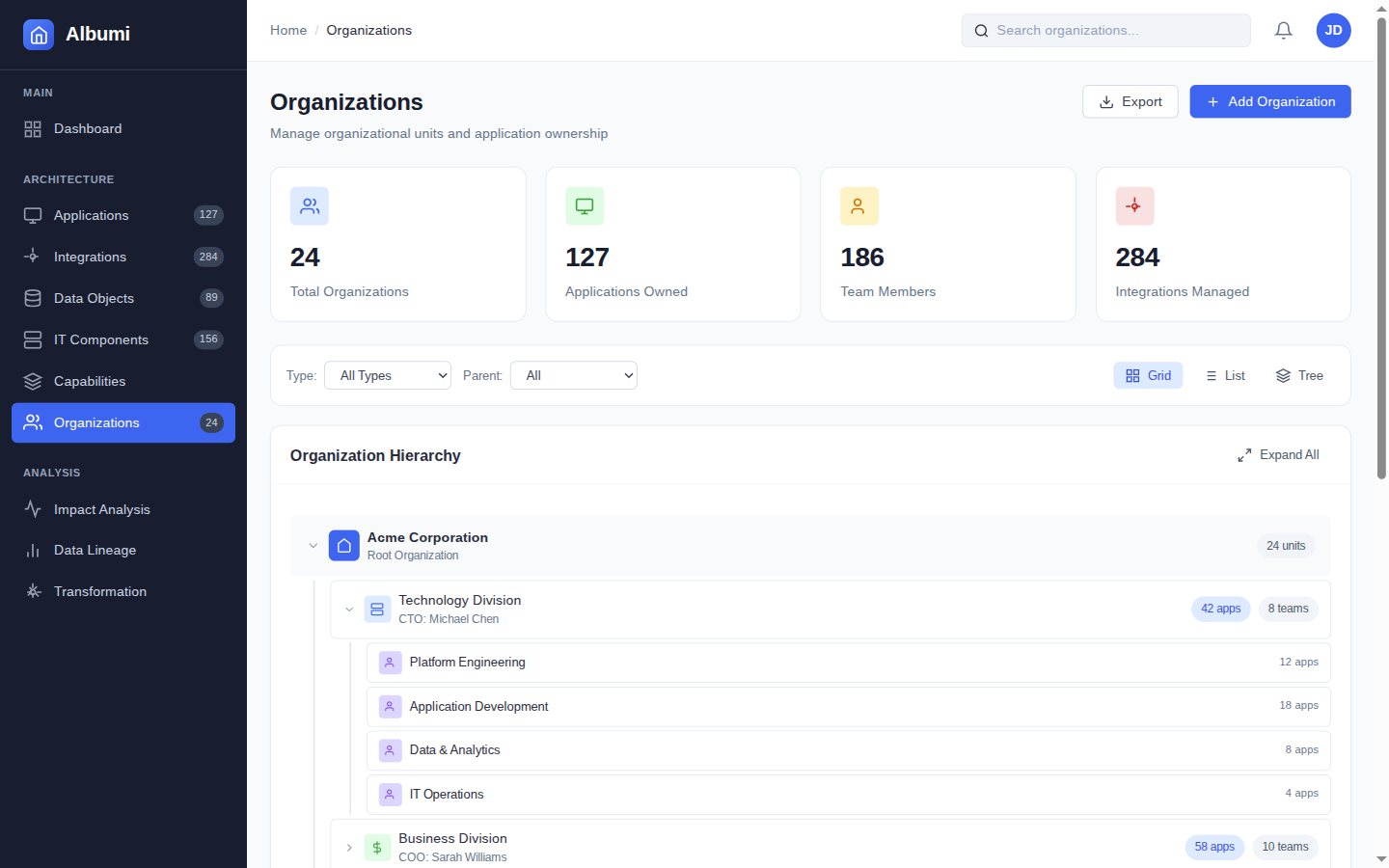
Know Who Owns It
Clear ownership across your entire IT landscape — applications, integrations, and infrastructure.
Organization Hierarchy
Model your organization structure — departments, teams, sub-teams. This hierarchy is the backbone of ownership: applications and integrations are assigned to organizations, and you can drill down or roll up at any level.
Application, Integration & IT Component Ownership
Every application has an owning organization. Same for integrations and IT components. When an integration fails at 2 AM, the on-call team knows who to call. When a technology reaches end-of-life, the owning team is responsible for migration planning. No more "I thought someone else was handling it."
Stakeholder Discovery via Dependencies
When you're planning a change, Albumi shows you all affected owners through dependency analysis. Decommissioning the legacy ERP? Here are the 4 teams that own applications depending on it — your stakeholder list, generated automatically.
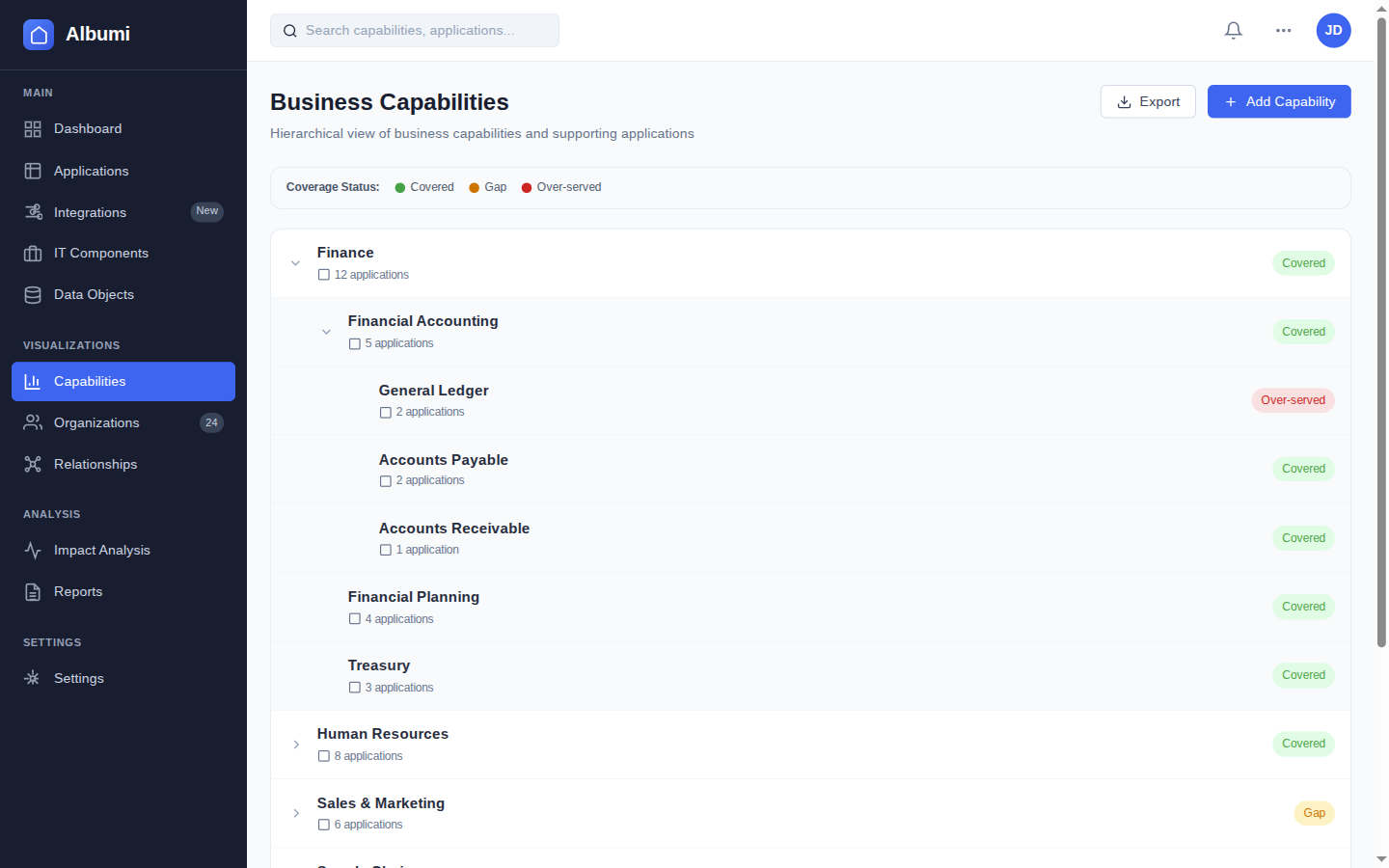
Know How It Supports the Business
Business capability mapping connects IT investments to business outcomes — the language leadership understands.
Capability Hierarchy
Build a multi-level capability model for your organization. Top-level capabilities like "Sales" break down into "Lead Management", "Opportunity Tracking", "Quote Generation". This gives you both the executive view and the working-level detail.
Application-to-Capability Mapping
Link applications to the capabilities they support. One application might support multiple capabilities, and one capability might be supported by multiple applications. This mapping is the bridge between IT and business conversations.
Coverage Analysis
Each capability gets a coverage status: Gap (no application), Fragile (one application, high risk), Healthy (adequate coverage), or Over-Served (too many applications, consolidation opportunity). This drives rationalization decisions.
Strategic Importance
Not all capabilities are equally important. Mark strategic importance so you can focus investment where it matters most — a high-importance capability with Gap or Fragile coverage means priority attention. A low-importance capability that's Over-Served is a consolidation opportunity.
Example: Rationalizing 3 CRMs Into 1
Your organization runs Salesforce, HubSpot, and a legacy in-house CRM. Three systems doing roughly the same thing. You map them to the "Customer Management" capability — coverage status: Over-Served. You classify Salesforce as "Invest", HubSpot as "Tolerate", and the legacy tool as "Eliminate".
Ownership is clear: the legacy CRM belongs to the APAC Sales team, Salesforce is owned by Global Sales, HubSpot by Marketing. Now you know who needs to be in the room for the consolidation project. The legacy CRM has 4 integrations that need to be migrated, 2 data objects that need a new System of Record, and the APAC team depends on it daily.
What used to be a 2-week discovery project — finding apps, finding owners, figuring out business impact — is now a 10-minute portfolio review. You have the apps, the owners, the business context, and the dependencies. Decision time.
Works Together With
Impact Analysis & Visualization
Before retiring an application, see everything that depends on it — integrations, data objects, downstream systems, and affected business capabilities.
Integration & Data
See every integration flowing through your applications and trace data objects from source to consumer across your landscape.
Governance & Initiatives
Route portfolio changes through structured governance workflows with review boards and approval tracking.
Start Free
See your applications, ownership, and business capabilities in one place.
Get Early Access